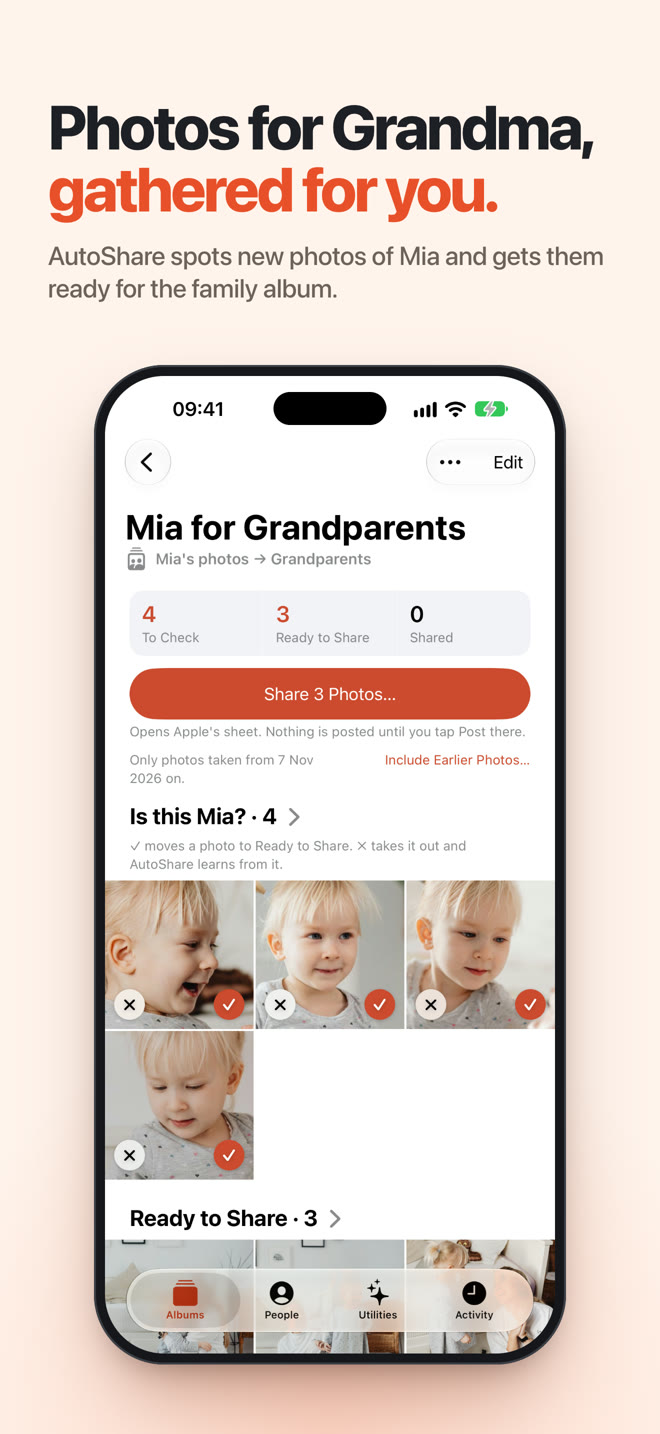
Every family has the same request. The grandparents want every photo of the kid. Not the best ten, every one. My son's grandparents are no different, and for a long time the system was me, once a week, scrolling back through the camera roll, picking out the photos with him in them and adding them to a shared album.
Apple Photos already knows who is in your photos. It has a People album that recognises faces on the device. So I assumed an app could ask "give me the new photos of this person" and put them in an album.
It can't. Apple doesn't share People data with apps. That one fact shaped the whole product, and it led to a second, harder one I'll get to below.
AutoShare is what I built instead. You pick a face once, choose an album, and AutoShare finds new photos of that person in Apple Photos and gets them into it. The face recognition runs entirely on the iPhone. It's free and live on the App Store now. This is how it works, the wall I hit, and the bugs that taught me the most.
The Rules I Set First
I made the same call I made with Snipo: no server. With AutoShare it wasn't really a choice. These are photos of children, and a face print is about as personal as data gets. I didn't want any of it leaving the phone, and I didn't want to be the person holding it.
So the rules were:
- Everything runs on the iPhone. Face detection, recognition, matching, the lot.
- No account, no backend, no analytics, no ads, no third-party code.
- Never claim something happened when it didn't. This one turned out to matter more than I expected.
The Stack
AutoShare is a native iOS app, and I leaned on Apple's frameworks for almost everything:
- Swift 6 with strict concurrency, and SwiftUI for every screen
- SwiftData for storage, behind a single store actor that every write goes through
- PhotoKit to read the library and add photos to albums
- Vision to find faces, and Core ML to recognise them
- BackgroundTasks to ask iOS for scanning time, and App Intents for Shortcuts
- UserNotifications to say when photos are ready to share
There's no backend at all. The project is generated with XcodeGen. The first commit was on November 2, the first App Store build went up within days, and version 1.0.1 is 53 commits in.
Teaching It a Face
Apple's Vision framework is very good at finding faces. It gives you a box around each one, landmarks for the eyes, nose and mouth, and a quality score. What it doesn't give you is identity. It can tell you there's a face; it can't tell you whose.
For that I bundled a face-recognition model: FaceNet (Inception-ResNet-v1), converted to Core ML. It takes a 160 × 160 face crop and returns 512 numbers, an embedding, where photos of the same person land close together and different people land far apart. The model is about 45 MB. I checked the Core ML conversion against the original PyTorch model and the outputs agree to a cosine similarity of 0.99997. I deliberately didn't use the popular ArcFace weights, because their licence is non-commercial.
Getting good embeddings is mostly about the crop. The model was trained on faces that were upright and centred with a margin around them, so AutoShare does the same: find the face with Vision, straighten it using the eye landmarks, take a square about 1.3 times the size of the face, and resize it.
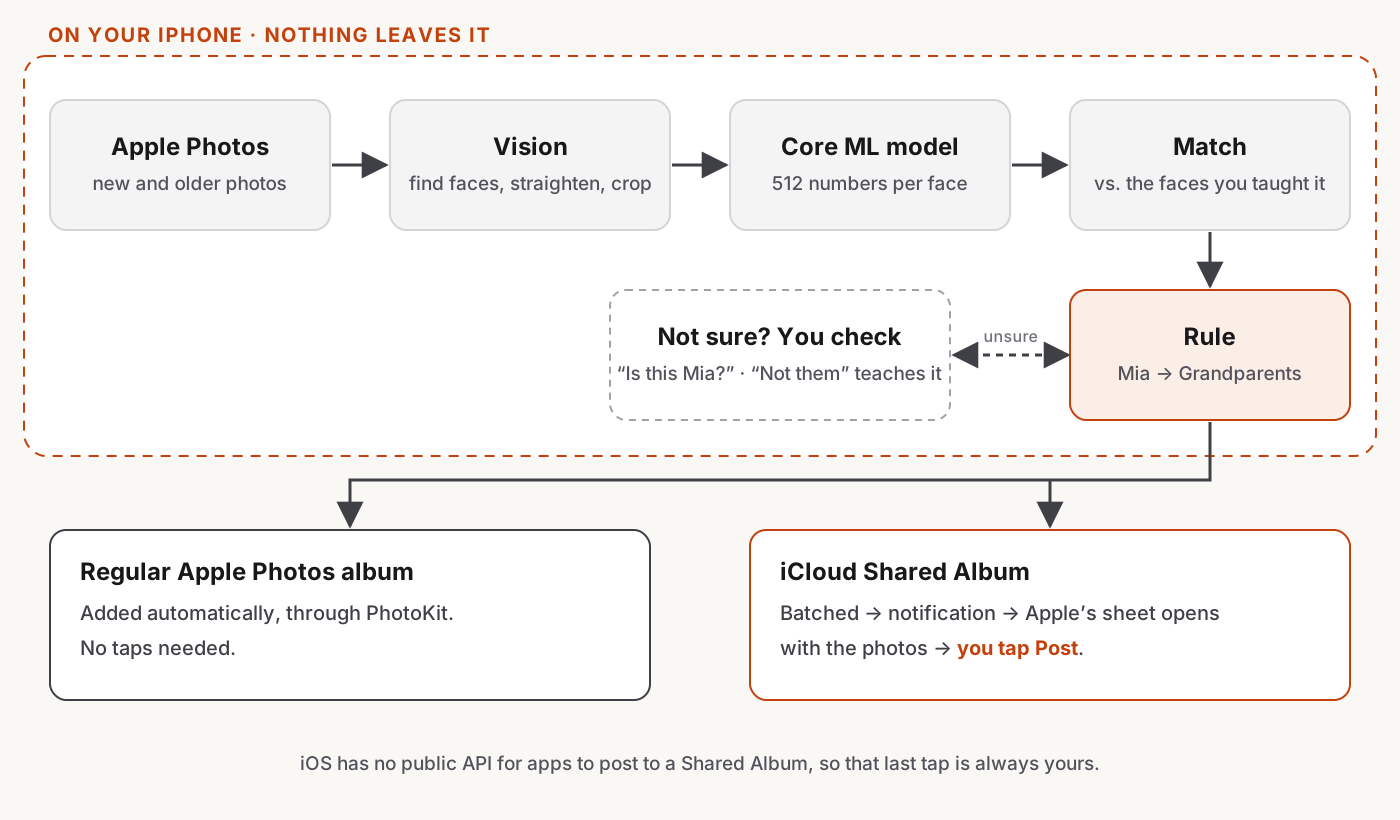
Then matching is just maths. You teach AutoShare a person by picking a few of their faces. Every new face gets compared with those reference faces, and if it's close enough, the photo matches. Embeddings are stored as 16-bit floats, so a face takes 1 KB, and comparisons run on Apple's Accelerate framework.
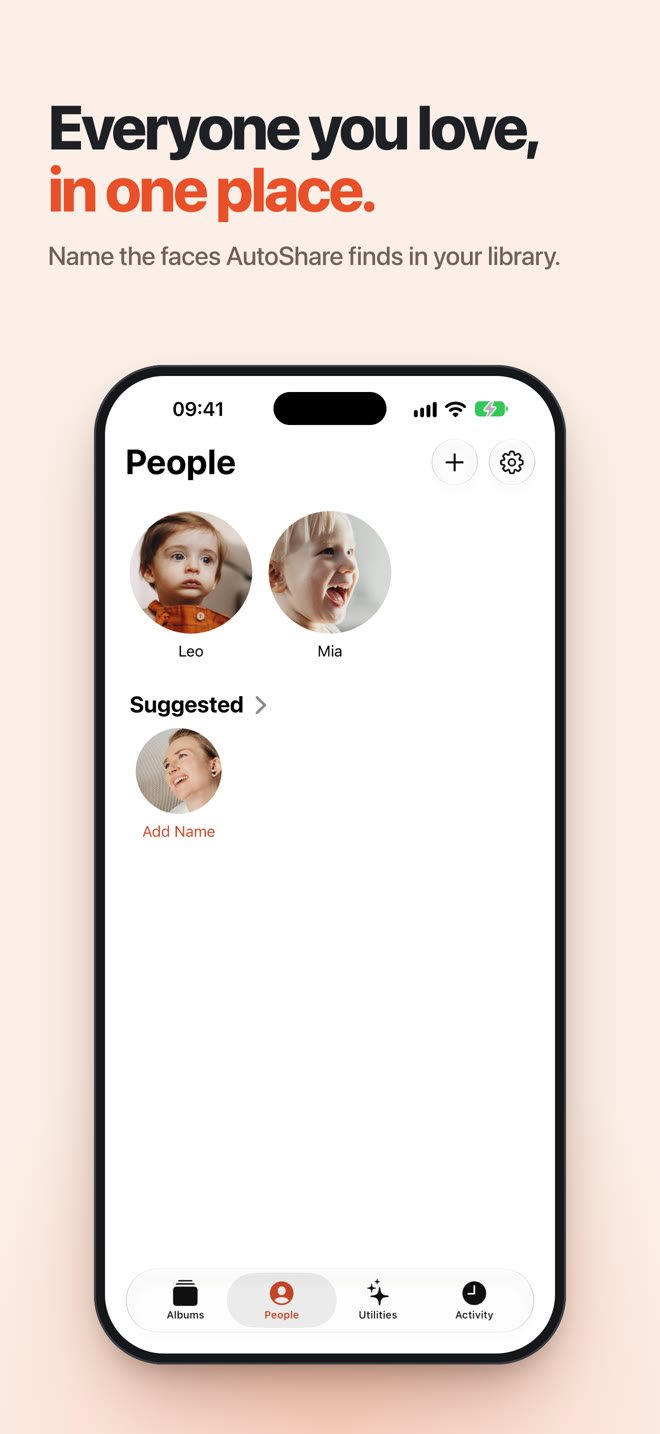
Picking faces by hand is a chore, so AutoShare also does Face Discovery. As it scans, it groups faces that look like the same person and shows them under Suggested on the People tab. You name a group, and that person is ready. Groups need faces from at least three different photos before they're shown, so a few frames from one video can't fake a person.
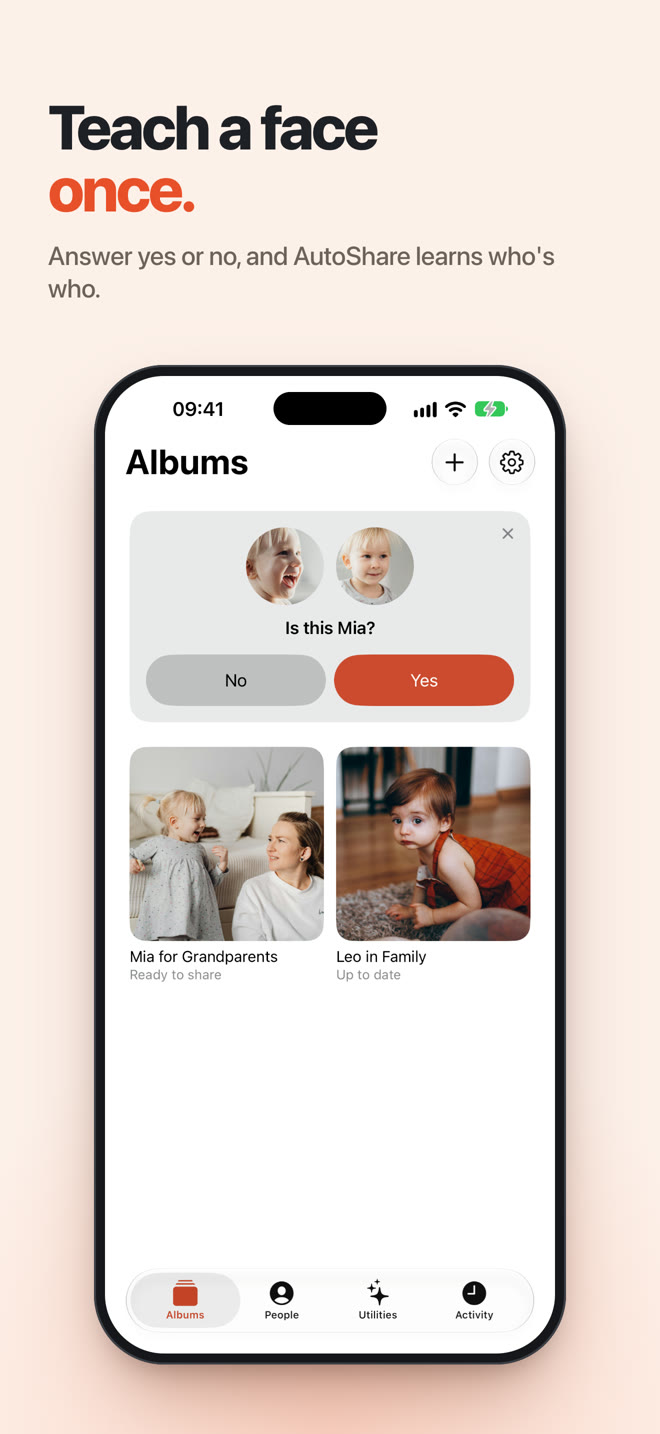
When AutoShare isn't sure about a match, it doesn't guess. It asks: "Is this Mia?" Tap Not them and it learns that face isn't her, and you can undo that if you tap the wrong one.
The Wall: Shared Albums
Here's the problem I hadn't seen coming.
The album the grandparents actually look at is an iCloud Shared Album. And iOS has no public API for an app to post to one. PhotoKit can add photos to your own albums with no interaction at all. It cannot touch a Shared Album. I checked the iOS 27 SDK headers to be sure.
What iOS 27 does give you is Apple's own posting sheet: an app can open it with the photos already selected, and the user taps Post. That's it.
I had a few ways out, and most of them were bad:
- Fake it. UI scripting, simulated taps, anything that pretends to be the user. That's against the rules, it would break with every iOS update, and it's exactly the kind of thing that should make people distrust an app that has their photos.
- Say it's automatic and hope nobody checks. No.
- Shortcuts. I built App Intents that hand pending photos to Shortcuts and mark a batch as shared afterwards. Whether a Shortcuts action can post to a Shared Album without its own confirmation is something I couldn't verify, so it's there as an experiment and labelled that way, not as the main path.
So I went with the honest version. Regular Apple Photos albums are fully automatic. For Shared Albums, AutoShare does all the finding and batching, sends a notification when a batch is ready, and opens Apple's sheet with the photos in it. You tap Post. One tap per batch, and the copy says so everywhere: onboarding, the rule screen and Settings.
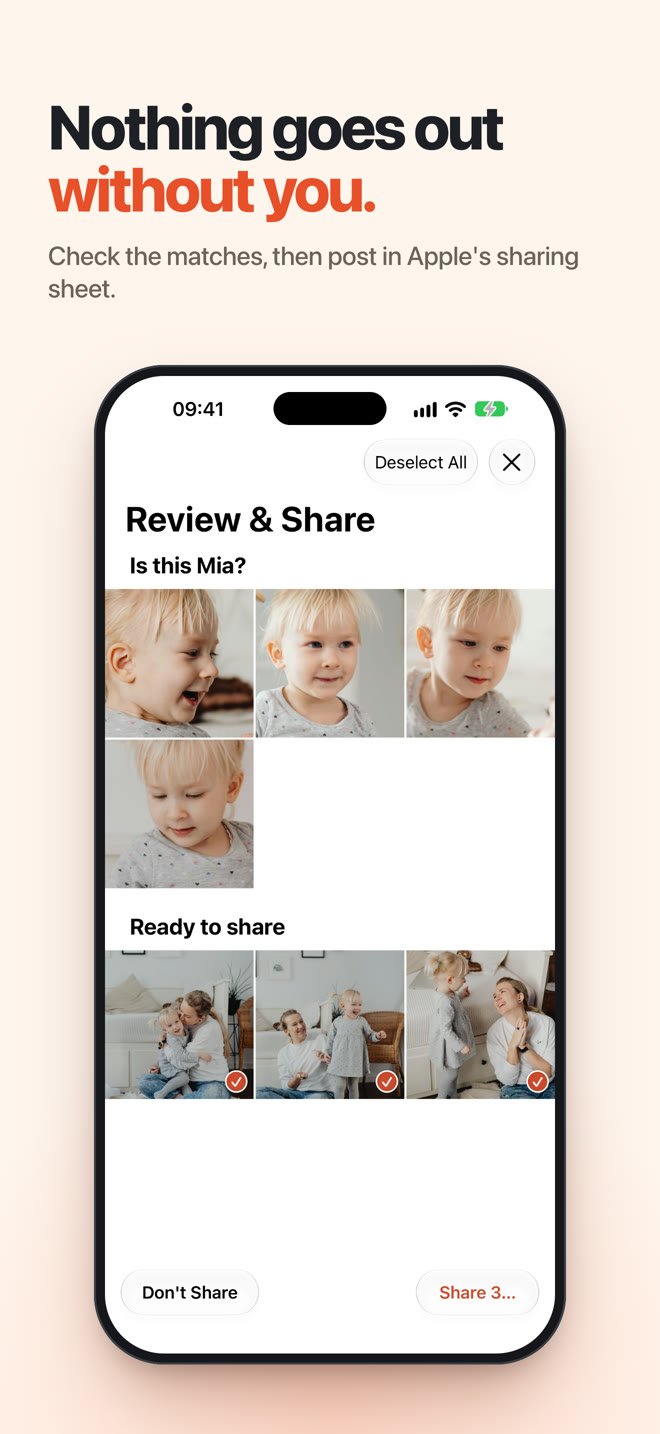
There's a rule in the code to match. A photo is only marked as shared when Apple's sheet reports it was posted. Until then it's "ready to share", never "sent".
Bugs That Taught Me Something
Most of the interesting work happened after it ran on my own phone, against my own library.
"Is this my son?" next to his mum's face
Review asked "Is this my son?" and showed a photo of his mum holding him. Looking at the whole photo, the answer was clearly yes. He was right there. But the match was on her face. AutoShare had matched the wrong face in a group photo, and the question showed the photo, not the face it matched.
If I said no, the photo disappeared, even though he was in it. If I said yes, AutoShare learned that her face was his. Both were wrong.
The fix was two parts. Review now shows a crop of the actual face that matched, so you're answering about the right face. And when you say no on a photo with other faces in it, AutoShare asks a follow-up: "Is he elsewhere in this photo?" Tap the right face and the photo goes through with the correct match. Tap "No" and it's removed as before.
The total that kept climbing
The scan card said "48 of 416", and every time it got close to the end, the end moved. Scanning works through history in pages, and new pages get added as the queue drains, so the total really was growing. It just looked like the app was lying.
Now the card only shows "N of M" once the total is final. Until then it says "N photos checked", which is true the whole time.
Activity that buried the important line
The Activity tab logged "N new photos ready to share" once per batch. On a big first scan, that was over 500 entries, which pushed the one line I cared about, "Shared", out of the list. Now there's one entry per scan, empty scans aren't logged, and sharing entries are always shown.
2,500 photos that never arrived
This was the worst one. After a big post to the grandparents' album, about 2,500 photos simply weren't there. Apple's sheet had reported success. AutoShare had marked them as shared. They weren't in the album.
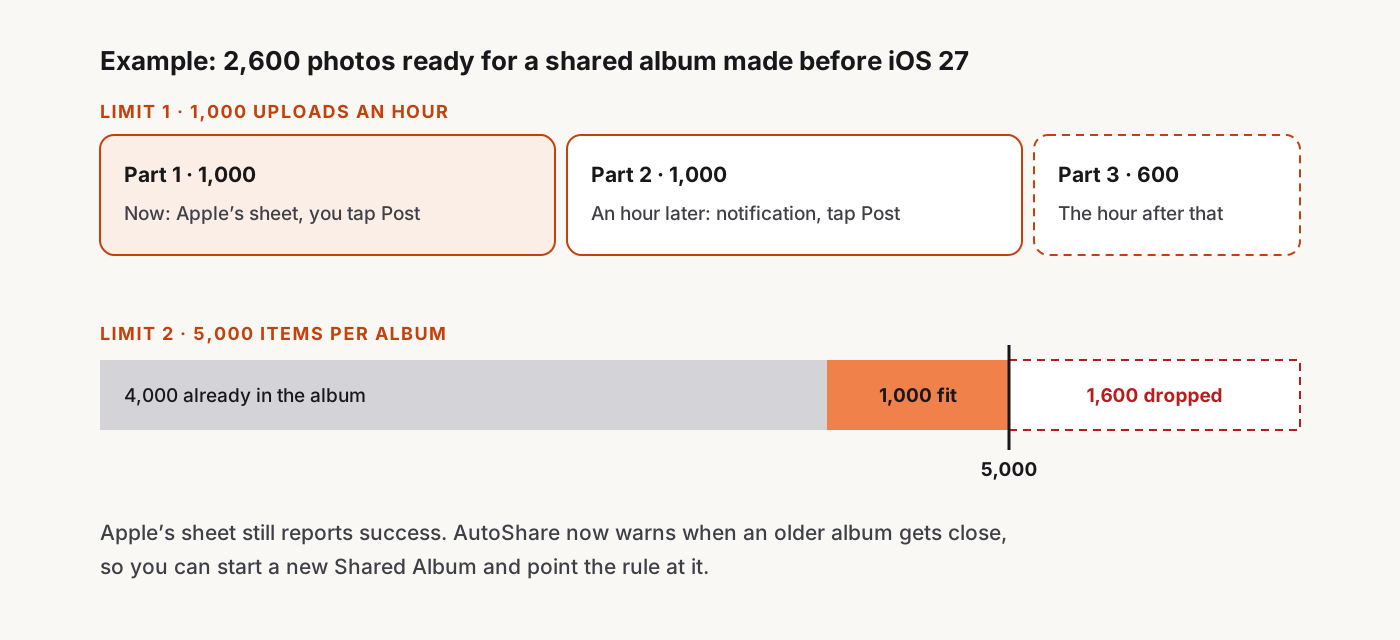
The cause was Apple's Shared Album limits. Shared albums created before iOS 27 hold at most 5,000 photos and videos, and accept 1,000 uploads per person per hour. Albums created on iOS 27 or later don't have the per-album cap. I'd actually had a 5,000 check in the app and removed it shortly before, after reading that iOS 27 had dropped the cap. It has, but only for albums created on iOS 27 or later. Ours was older.
The fix:
- Split big posts into parts. Each batch holds at most what Apple will accept right now, counting the last hour and the last day across all rules, oldest photos first.
- Notify when the next part can go. If the hour is used up, AutoShare schedules a notification for when it frees up. Tapping it opens Apple's sheet for the next part. You still tap Post every time.
- Warn before an album fills up. If an older album is getting close to 5,000, the rule screen says so and suggests a new Shared Album.
The lesson for me: when you can't verify the result, trust it less. AutoShare can't read a Shared Album's contents, so it has to respect the limits up front instead of finding out later.
Background Scanning, Honestly
There's no "a photo was added" trigger for apps on iOS. AutoShare scans when you open it and asks iOS for background time, and iOS decides when, or whether, that happens. The app says so rather than promising "instant". In Settings you can choose Automatic, Battery-conscious, Wi-Fi preferred or Manual only.
Performance mattered more than I expected, too. An early build had 13-second hangs on device, and the trace showed store work running on the main thread. SwiftData's @ModelActor ran jobs on whichever thread called it, which was often the UI. I rewrote the store to conform to ModelActor by hand, with its own serial queue, so store work never runs on main.
Clean Up
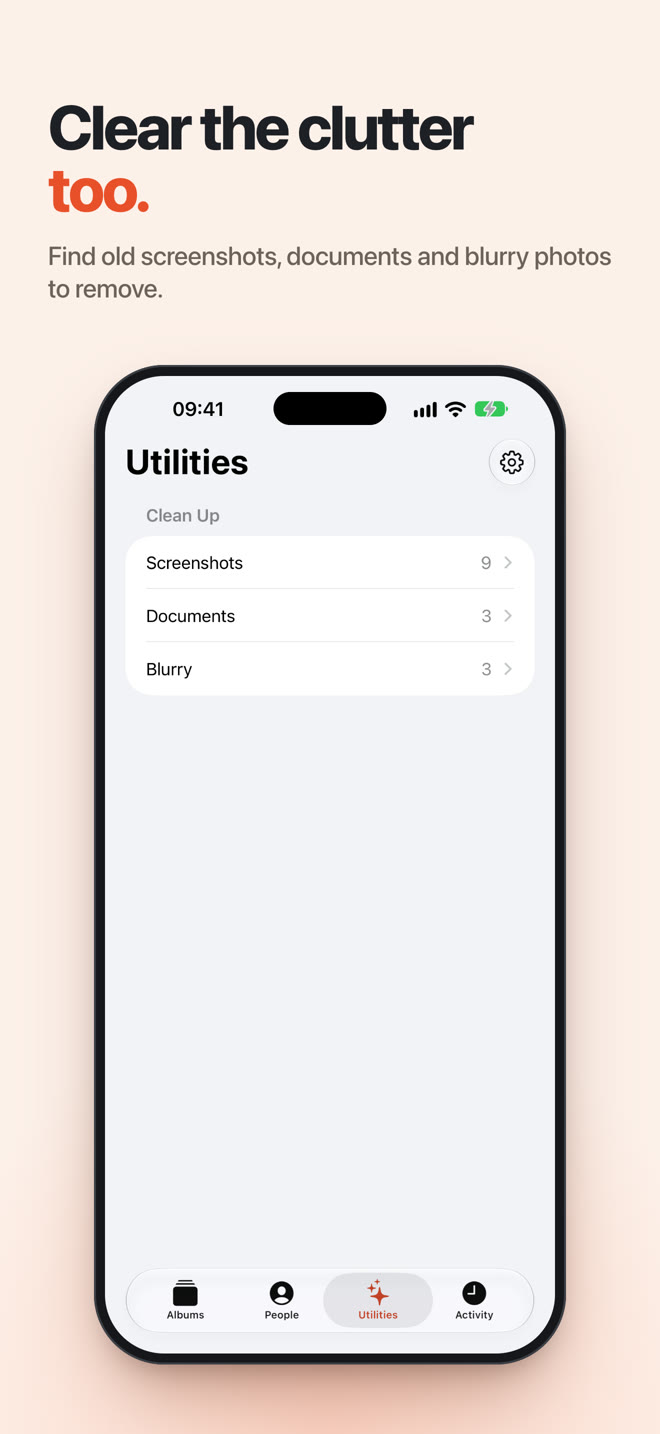
Once AutoShare was looking at every photo anyway, a second job was easy to add: finding the clutter. The Utilities tab finds old screenshots, photos of documents and receipts, and blurry shots. Blurry means two signals agree: a low sharpness score and a low Vision aesthetics score.
It never picks favourites or rated photos for you, and it can't delete anything by itself. iOS asks you to confirm, and deleted photos go to Recently Deleted like any other.
Privacy, in Practice
"Private by design" is easy to say, so here's what it means in AutoShare:
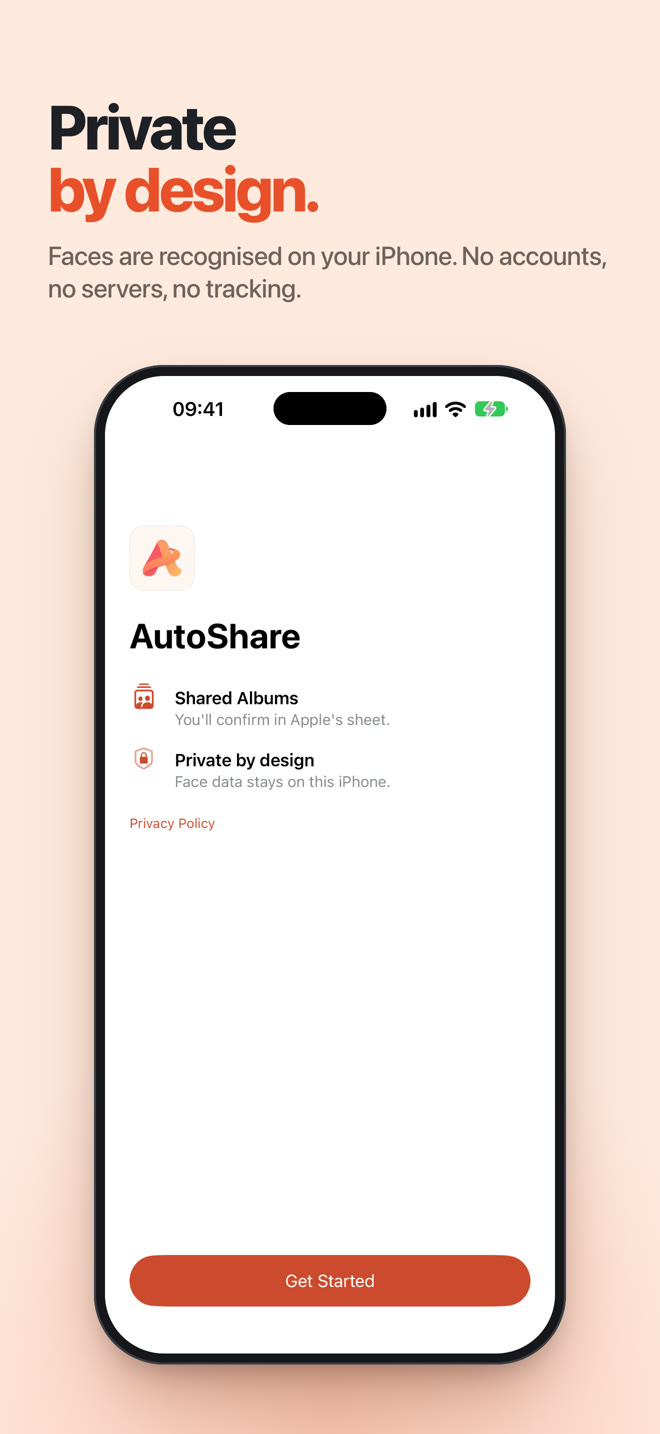
- Face data never leaves the phone. There's no server to send it to.
- Protected storage. Face data lives in the app's own store, protected by iOS data protection.
- No photo identifiers in logs. Diagnostics never include which photos or faces were involved.
- Delete everything in one tap. Settings › Delete All Face Data removes every reference face and match.
- Only people who are happy to be included. Please only add people who are fine with it, or children you're the parent or guardian of.
Shipping It
The first App Store screenshots used cartoon demo people. They were fine, but they didn't look like a photo app. Nobody's family album is full of cartoons.
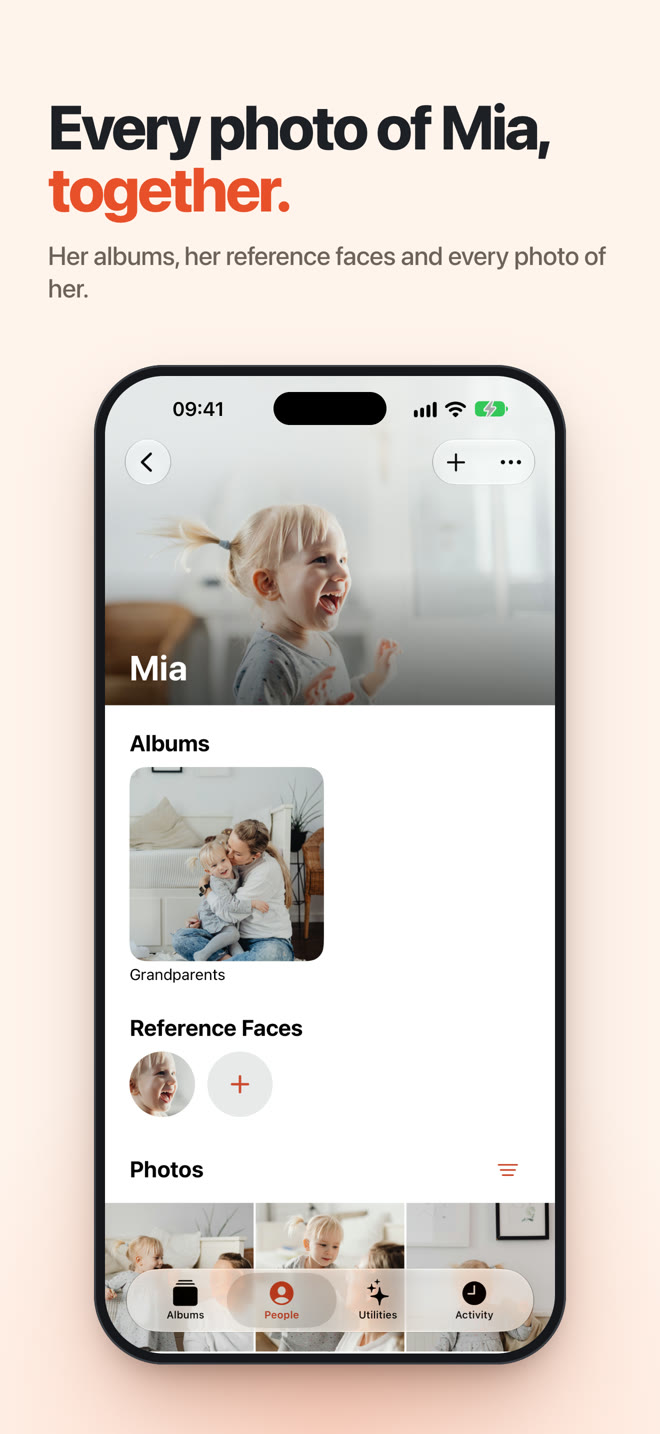
So I added a demo mode, DEBUG builds only, that fills the app with stock photos from Pexels instead. Mia, Leo and Emma in the screenshots are stock photos, not real users and not my family. Each photo comes with the real face rectangles found on the device, so group photos crop to the right face, just like in the real app. None of those photos ship in the app. I captured the screens in the simulator and framed them in a browser.
The promo video was rendered frame by frame in headless Chrome, with a soundtrack I synthesised rather than licensed:
Version 1.0.0 is live, and 1.0.1, with the new screenshots and the Shared Album fixes above, is in review as I write this.
What's Next
- Seeing how the face matching holds up on many more libraries than mine.
- Fewer taps for Shared Albums, if Apple ever adds a way. I'll keep checking each iOS release.
- And, as with Snipo, keeping it small and private.
If someone in your family wants every photo of the kids, give it a try:
Download AutoShare on the App Store
AutoShare is free, has no ads and no account, and it's built by one person in Australia. More about it is on the AutoShare page. If it's useful to you, you can support it here.