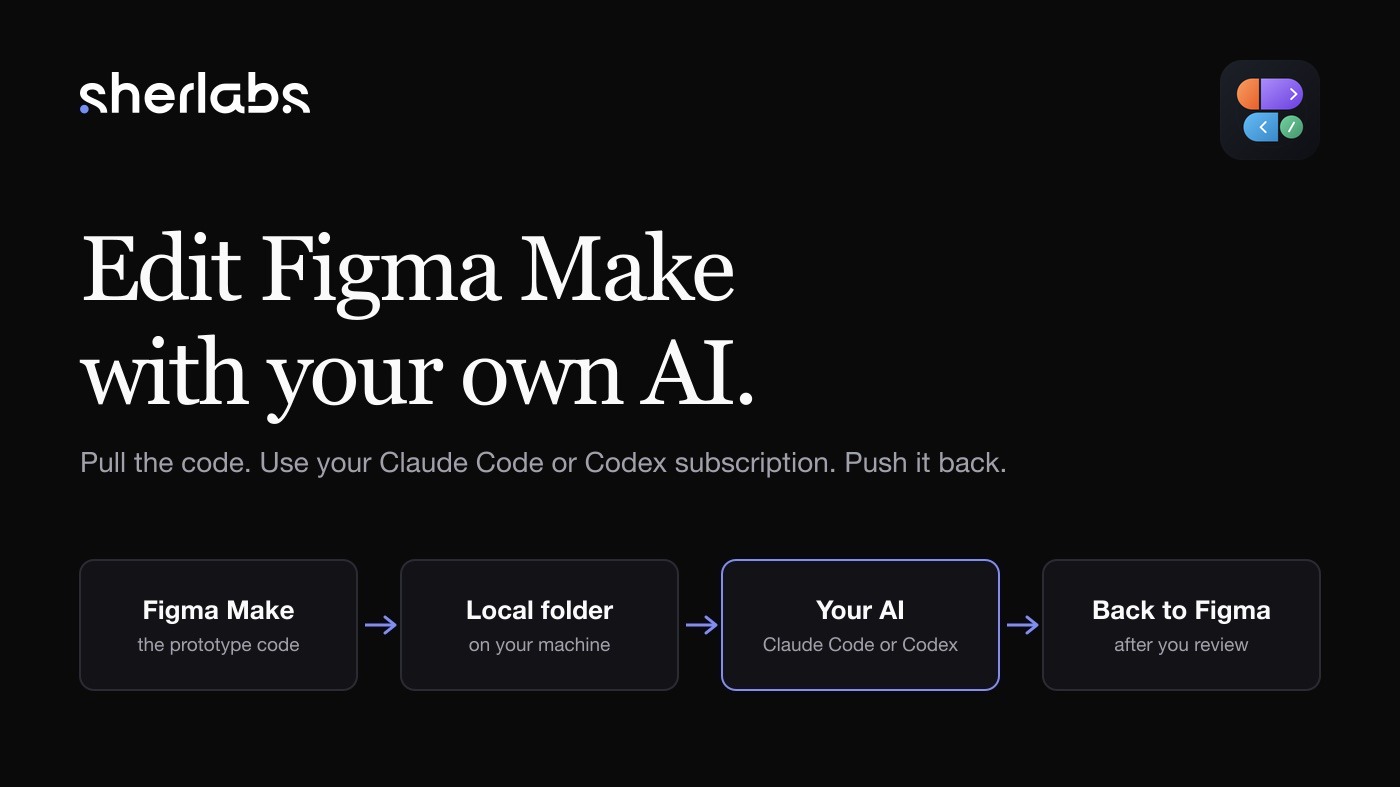
Figma Make builds a working prototype from a prompt. After that, every change goes through Figma's own AI, and that AI runs on Figma's AI credits. Credits come per seat and are capped every month: on Figma's pricing page today, a Professional full seat includes 3,000 AI credits a month, Organization 3,500 and Enterprise 4,250, and a Dev or Collab seat only 500. More means buying an add-on. We found those credits burn up fast. Small tweaks, a colour, a label, a total that was off, each spent credits, and the cost added up quickly.
Meanwhile we already pay for Claude and ChatGPT. They are good at exactly this kind of work, but they have no way into your project.
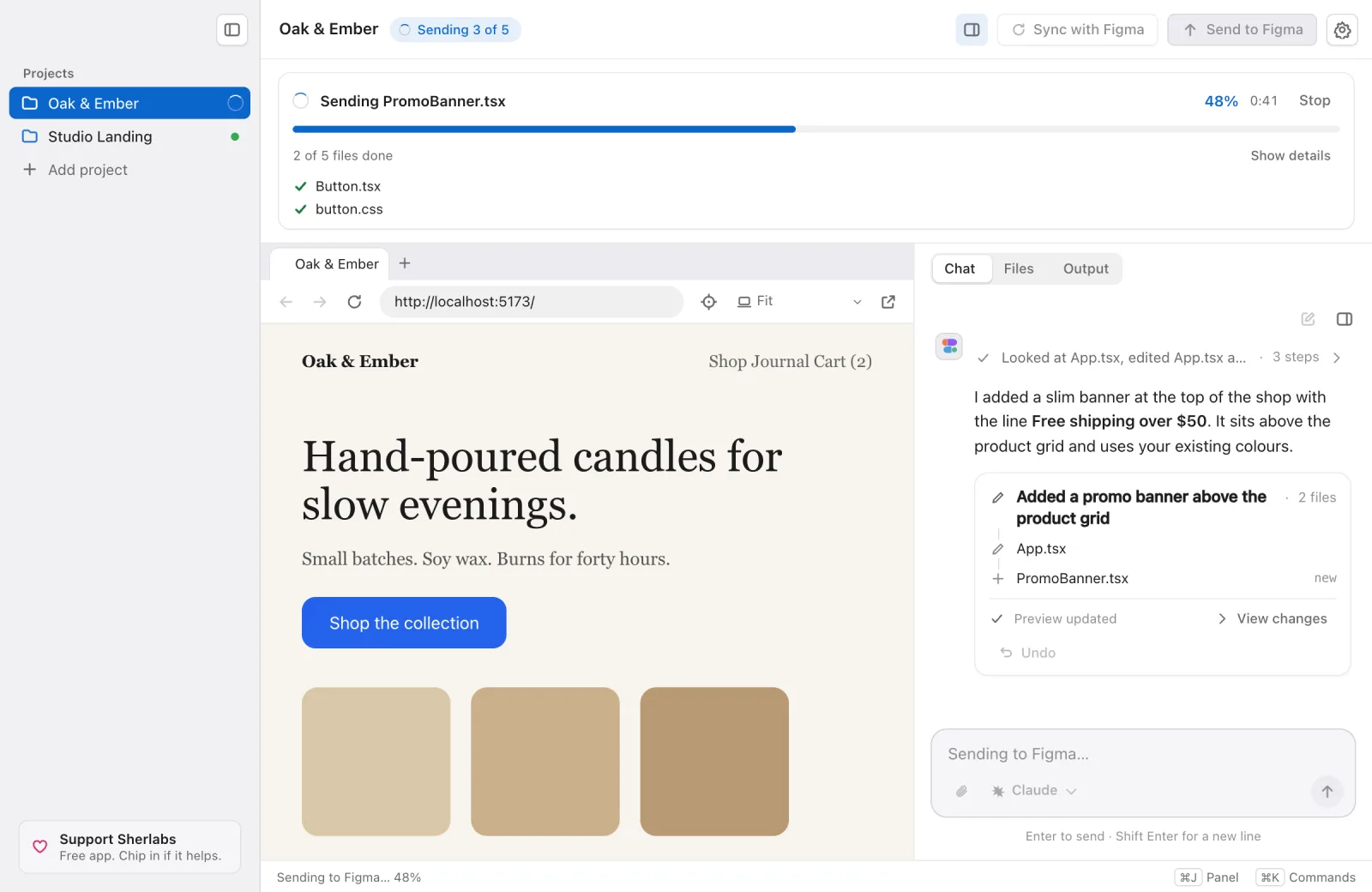
Figmake Sync gives them one. It is a free desktop app for Mac and Windows. It brings your project onto your computer, lets you change it in a chat panel next to a live preview, and sends the result back to Figma. A sidebar holds all your projects.
How it works
- Open your link. Paste your Figma Make link. The first time, you sign in to Figma and pick Claude or ChatGPT.
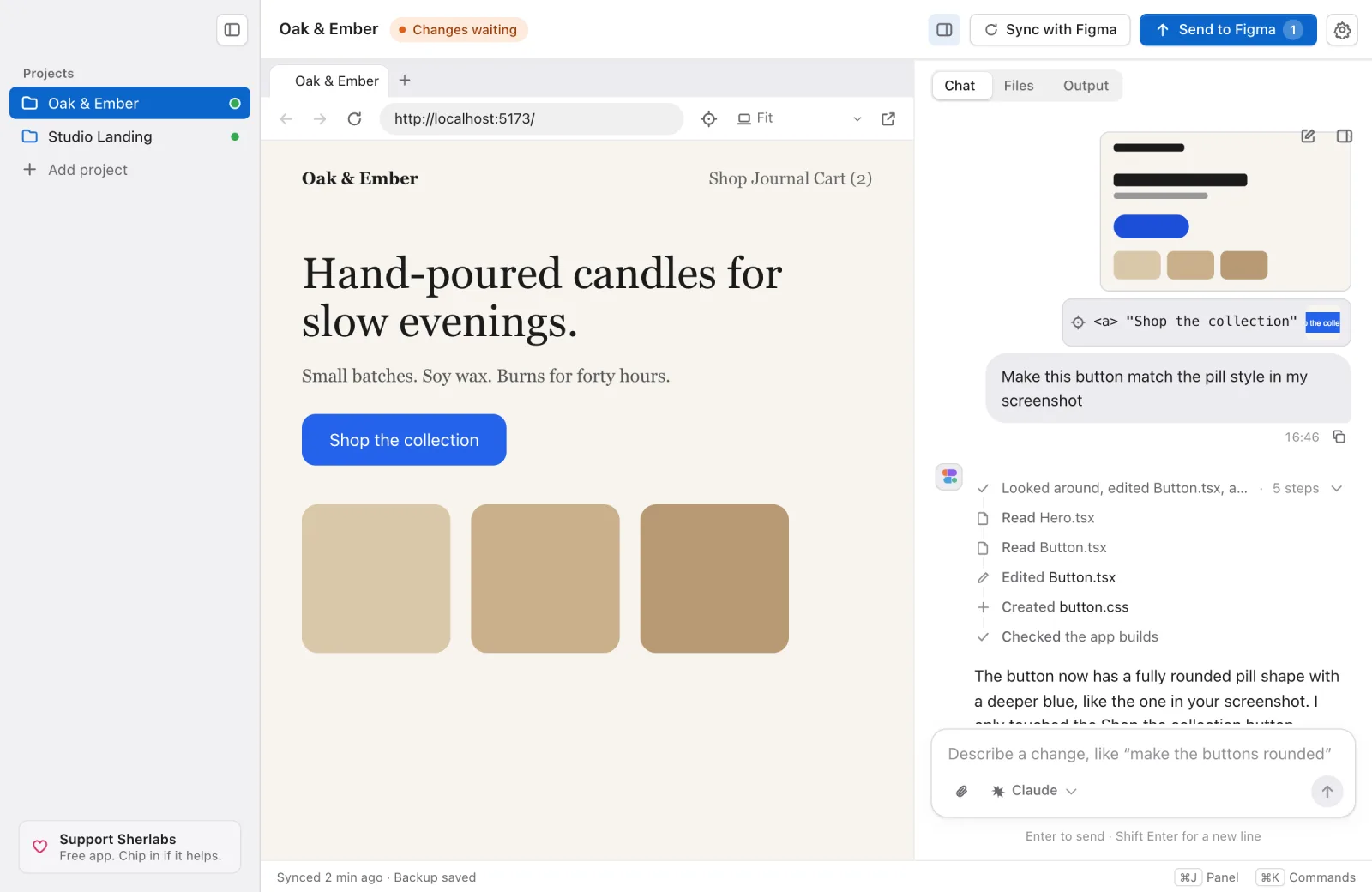
- Ask for a change. Type what you want in the chat, like "make the button blue". The reply streams in, the preview updates, and each change shows up as a card with Undo and View changes.
- Send it to Figma. When you like it, press Send to Figma.
Why we built it
We build our own prototypes in Figma Make. A small fix meant a prompt to Figma's AI, and a bigger one meant a long session of them. The credits went fast, and the cost of Figma's AI became one of our biggest reasons to look for another way. Our own AI, already paid for, sat idle next to a project it could not reach.
The code is visible in Figma, but you can only edit it by hand there. So the choice was spending Figma's credits or typing every change yourself. Figmake Sync is the third option: the same project, edited by the AI subscription you already have, with no Figma AI credits spent.
As far as we know, Figma Make has no public way to write changes back. So Figmake Sync does what you would do: it opens Figma in a window on your computer, using your own sign-in. We never see your password.
What it does now
A lot has changed since the first version. Most of it came from using it on real projects and watching it fail in ways I had not planned for.
It brings its own Node
The app now ships a sandboxed Node.js and pnpm and uses those to install and run your project. Nothing is installed on your computer, and an existing Node setup is left alone.
Previews are steadier too. Each project gets its own free port, and the app cleans up after itself, so you do not end up with preview processes still running after you close it.
A preview that works like a browser
The preview now has a browser bar with tabs, back, forward, reload and an address bar. It only opens pages on your own computer. It is there because checking a change often means clicking through a few pages, not looking at one.
Watching the AI work
While the AI works, the chat shows a step timeline: files it reads, edits and creates, checks it runs, any helper agents, and a Tasks card for longer jobs. You can stop it at any point. When it finishes, the steps fold into one line and a result card lists the files changed, with Undo and View changes.
Show it, do not describe it
You can paste, drop or attach screenshots (up to five per message). There is also an element picker: press the target button in the preview bar, click part of the page, and it becomes a chip in the chat with the element's tag, text, styles and a cropped picture. The AI gets those details labelled as page content. I have not yet tested the picker on React newer than 18, on shadow DOM or inside iframes, so expect gaps there.
Models, sign-in and the sidebar
- Model switching. A chip under the chat box opens a model menu for the AI you chose, and lets you switch between Claude and ChatGPT (Codex). It applies from your next message.
- Signing in. If Claude or ChatGPT is signed out, the app opens your browser and carries on once you are done.
- A sidebar that gets out of the way. The toggle moves into the left bar (Cmd or Ctrl+B) and collapses projects to a narrow rail. The preview defaults to Fit, which measures the page and scales an app that is too wide so it does not scroll sideways.
- Projects. Every project stays in the sidebar with its own chat. Switch between them freely.
Review before you send
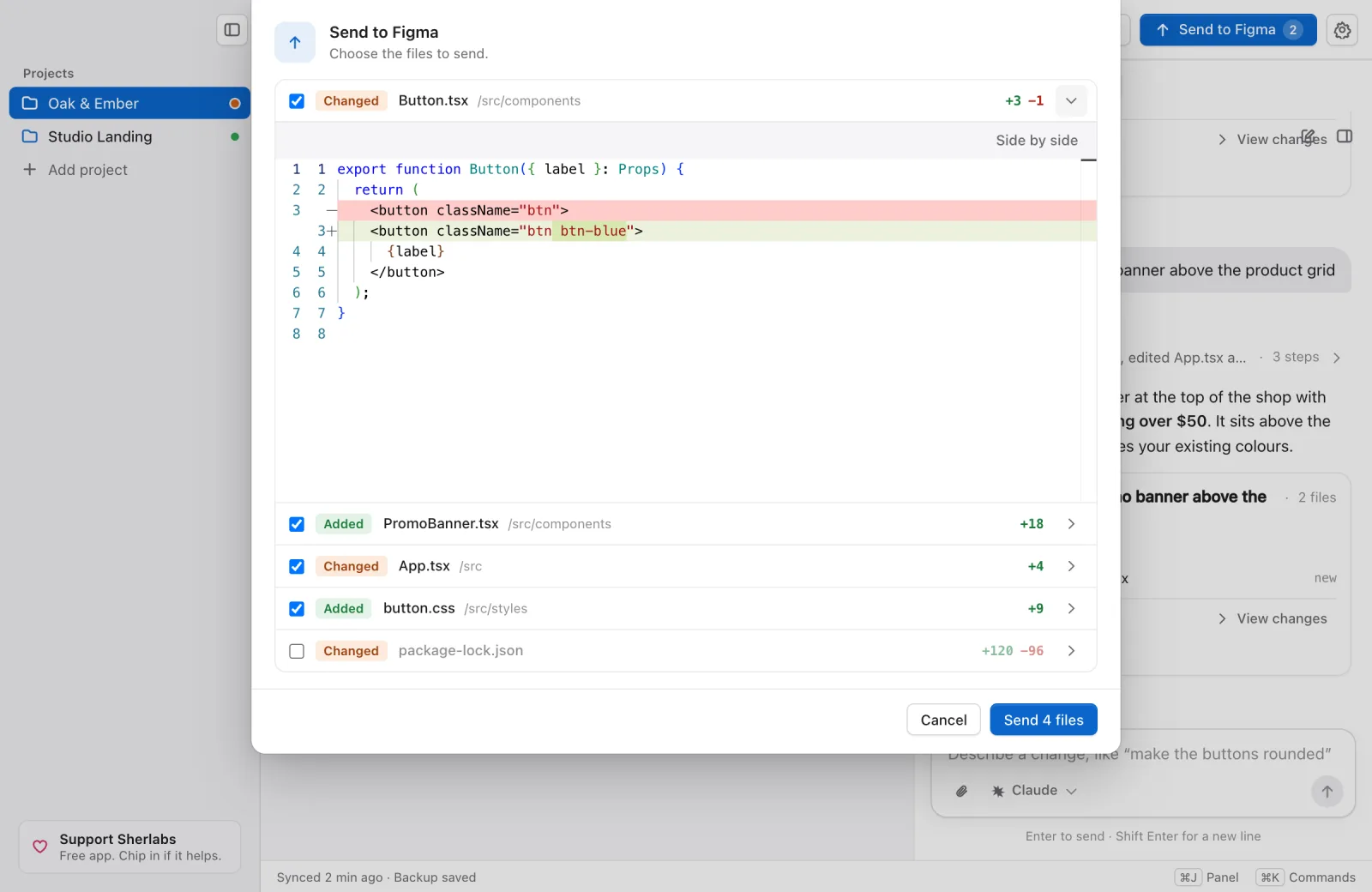
Send to Figma no longer sends blindly. It opens a list of every changed file with the lines added and removed. You can untick a file to leave it out, and open a diff (Monaco, the editor from VS Code) to read the exact change. Files you chose not to send are listed in Settings, where you can turn them back on.
Sync with Figma
If the project changed in Figma, press Sync with Figma. You have two options:
- Merge brings Figma's changes into yours, line by line.
- Discard my changes throws yours away and uses Figma's version.
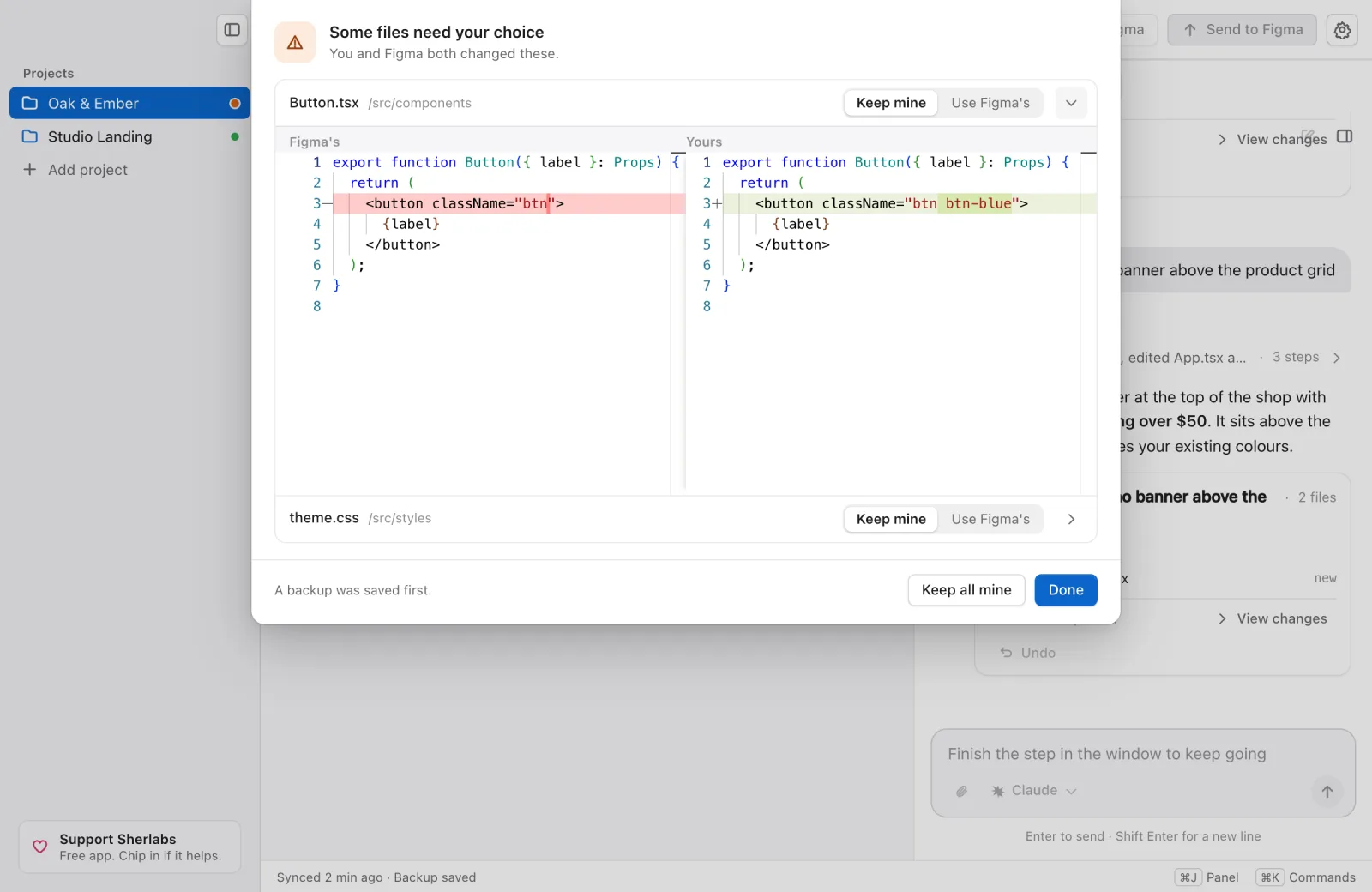
When both sides edited the same lines of a file, the app cannot combine them. It asks you to pick per file, and shows the two versions side by side first. A backup is saved before either option runs.
A send that stops when it should
Sending works by driving Figma's own screens, and those screens do not always cooperate. I spent a while on that.
The app now plans the whole send before it writes anything. It checks each file after it is sent, and does a final check at the end. If something does not match, it stops and says why in plain words, instead of pressing on and leaving half a project in Figma. A progress card shows the file being sent, how many are done and the percent.
Smaller things
- Rename a project.
- New projects go in
~/figmake-sync. iCloud Documents made first reads and previews very slow, so Documents is no longer the default. You can move the folder in Settings. - When Figma renames a control, the app can ask your connected AI to find it again. This covers most steps, not all of them.
- A Support Sherlabs button sits at the bottom of the sidebar. It opens the support page. The app stays free either way.
Safe by default
- Every change is backed up first, so each change can be undone.
- If Figma has newer changes when you send, you choose Keep mine or Use Figma's.
- The AI can only edit the files in your project folder.
What it will not do
- It is unofficial. It is not affiliated with Figma, and Figma has not reviewed it. If Figma changes its screens, a step can break. The app can try to repair a step using your connected AI, but not every step.
- It cannot see your Figma canvas. The AI works on your project's code, not on your frames.
- ChatGPT support is experimental. Claude is the one we use every day.
- Your project's code is not sandboxed. The app brings its own Node and pnpm, but your project's own code still runs on your computer, so use projects you trust.
- The send checks are newly tested. I tried them against a fake Figma explorer and a live read-only probe, not a full live end-to-end send on every kind of project. The Windows installer is unsigned and I have not run it on a real Windows machine.
- The element picker is new. Not yet tested on React newer than 18, shadow DOM or iframes.
If something goes wrong
When a step fails, press Report next to Try again. It opens a GitHub issue in your browser. Nothing is sent until you review it and press Submit. It holds no code, prompts or project names.
Get it
Figmake Sync is free for Mac and Windows, and the source is on GitHub.