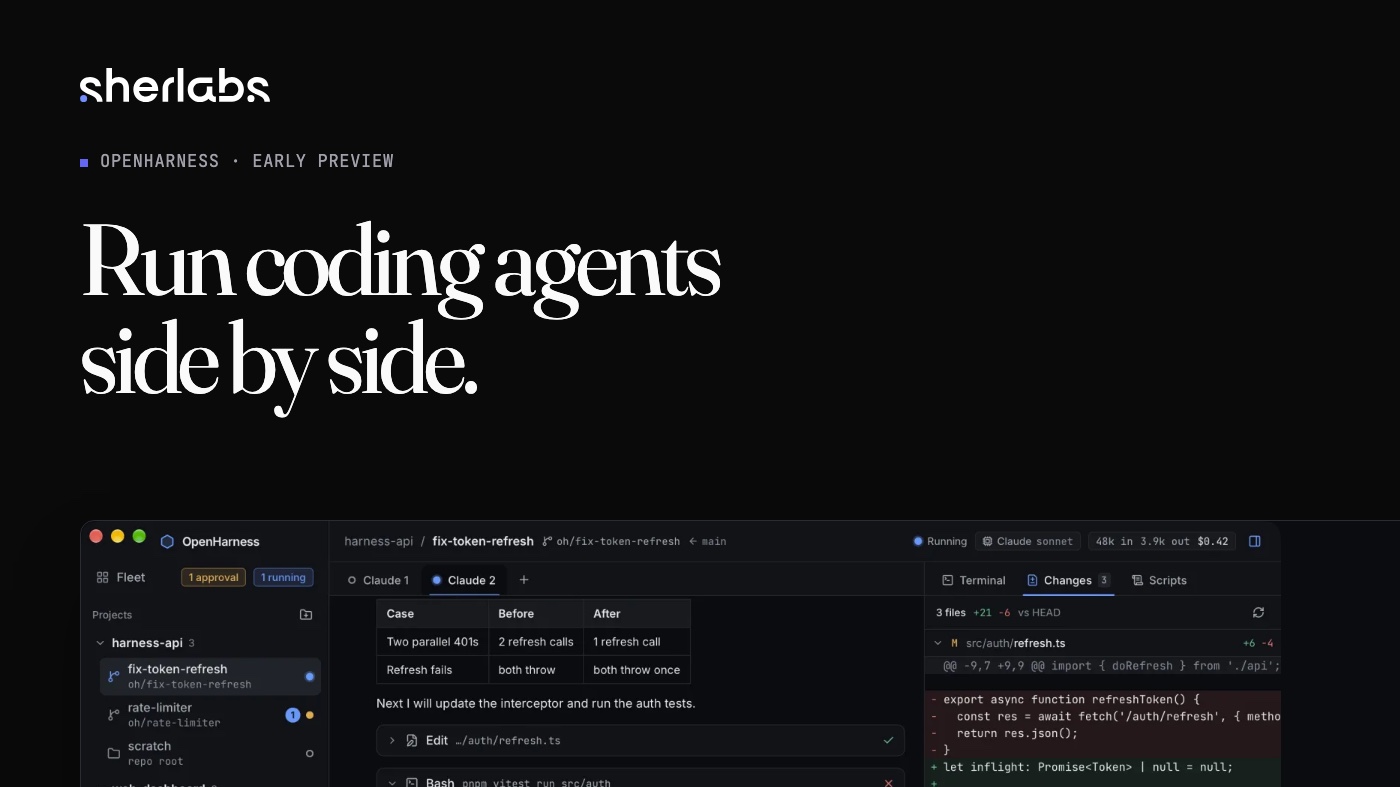
Once you trust a coding agent with a real task, you want to give it three. Then the problems start. They share one working folder and trip over each other's changes. Each lives in its own terminal tab. One of them has been waiting on a permission prompt for twenty minutes and you did not notice. And a few agents running builds and tests at once can make a laptop crawl.
OpenHarness is my answer: a desktop app for running coding agents side by side. Add a git repository, start a workspace for each task, and each one gets its own git worktree, its own chat, a terminal and a diff. Everything runs on your computer. It is an early preview, and this post is as much about what is not finished as what is.
What works today
- Projects and workspaces. Every workspace is a git worktree on its own branch, so agents on the same repository stay out of each other's files.
- Claude Code chat with approvals. A structured chat instead of a raw terminal. Tool calls show up as cards, and anything that needs permission waits for you.
- A terminal in every workspace.
- A diff view of what the agent changed against HEAD.
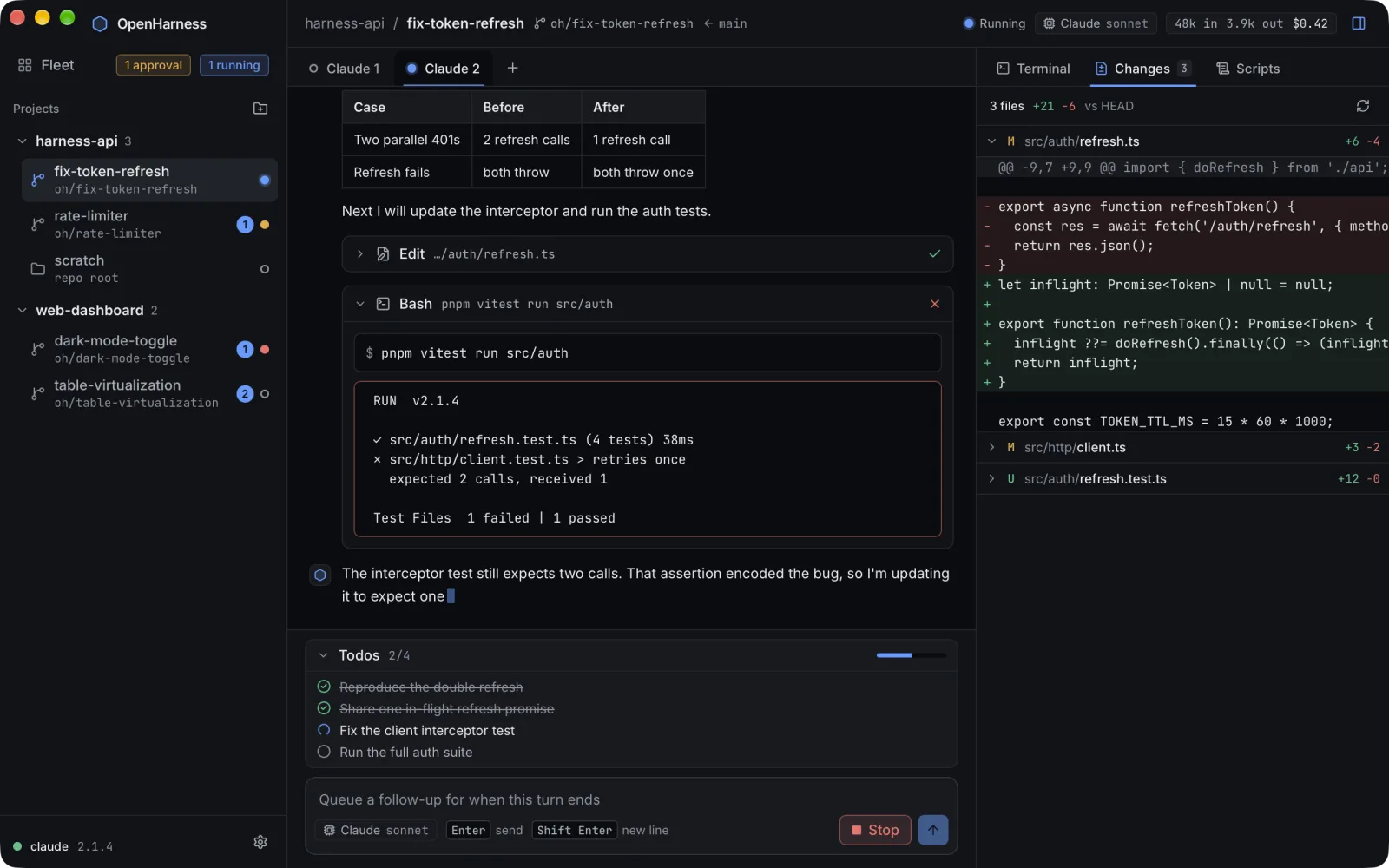
That screenshot uses made-up projects, and it also shows a Fleet entry that is not finished. I would rather say so than let it imply more.
Why local-first
I wanted a tool I could trust with my own code without asking anything of anyone else. So OpenHarness has no account and no telemetry. Its data lives in a .openharness folder in your home folder. The agents are ordinary command-line tools that you install and sign in to yourself, and OpenHarness supervises them as processes. It never asks for your provider login.
That decision had a consequence. OpenHarness does not download agent binaries from servers of its own. It looks for the CLIs you already have and tells you which it found. The one thing it asks my website for is whether a newer version exists, and you can turn that check off.
Built with a fleet of agents
Most of OpenHarness was written by coding agents working in parallel, each in its own worktree, with me reviewing. That is exactly the workflow the app exists for, so I felt the missing pieces as I went: the approval I missed, the machine slowing down, the worktrees piling up.
It is a Tauri app. The shell and the process supervision are Rust, the interface is React and TypeScript, a local SQLite database holds the state, and the terminal is a real pseudo-terminal.
What is not finished
These are built or half-built in the repository, and not in a release yet:
- A fleet dashboard with CPU, memory, network and disk use for each agent.
- A governor that pauses or lowers the priority of agents so the machine never freezes.
- A skills manager, and history to browse and resume past sessions.
- Worktree cleanup with safety backups.
- Optional memory through agentmemory, running on your own machine.
- A skip-permissions mode, with warnings.
Planned, but not started: adapters for Codex, OpenCode, Cursor and Gemini, and sandboxed runs through OpenSandbox.
What it will not do
- It is an early preview. Expect rough edges, and expect things to change.
- It does not sandbox the agents. Today they run on your machine with your permissions. Read what an agent asks to do before you approve it.
- Only Claude Code works today. The other agents are plans, not features.
- Windows is experimental. The first builds are Mac only, and a Windows installer, when there is one, is not code-signed.
- It is unofficial. It is not affiliated with Anthropic.
Get it
OpenHarness is free to download for Mac. The source code is private for now. If something breaks, or you have an idea, please use the feedback form.